Self-hosted stream alerts and overlays
GitchAlerts
Stream alerts that belong to you.
GitchAlerts gives creators one place to connect their streaming channels, choose which events should trigger an alert, design visual and audio alert layouts, and add those layouts to OBS or another streaming tool as browser sources. Each deployment runs on infrastructure controlled by its operator.
One connected workflow
- 01
Connect
Link Twitch and YouTube with OAuth, or add Ko-fi.
- 02
Compose
Arrange text, images, video, and audio on a visual canvas.
- 03
Go live
Copy the protected browser-source URL into OBS or Meld.
Design in the browser
Build the alert you want viewers to remember
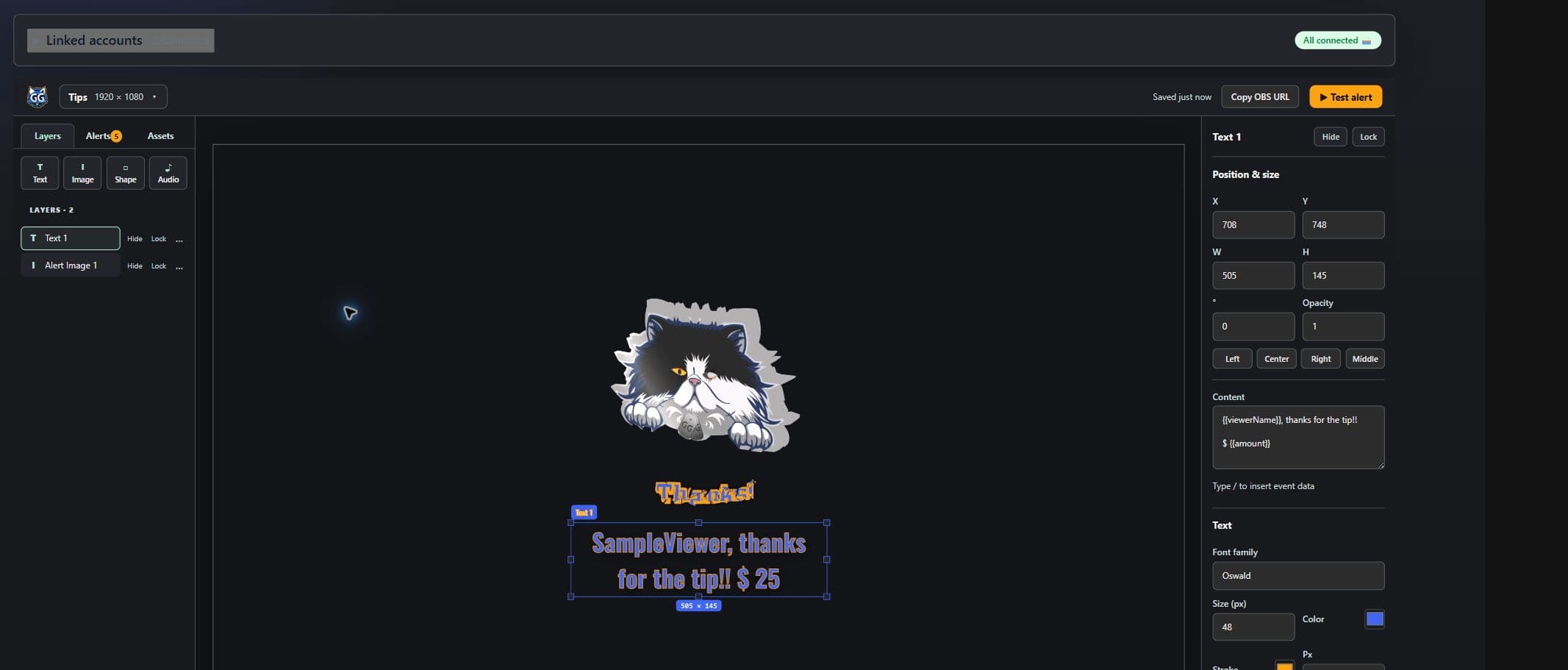
Work on a true 1920 × 1080 canvas, layer text and media, preview event data, tune animation and timing, and test the result before it reaches your stream.
Bring your own creative work
Your assets, your layout, your voice
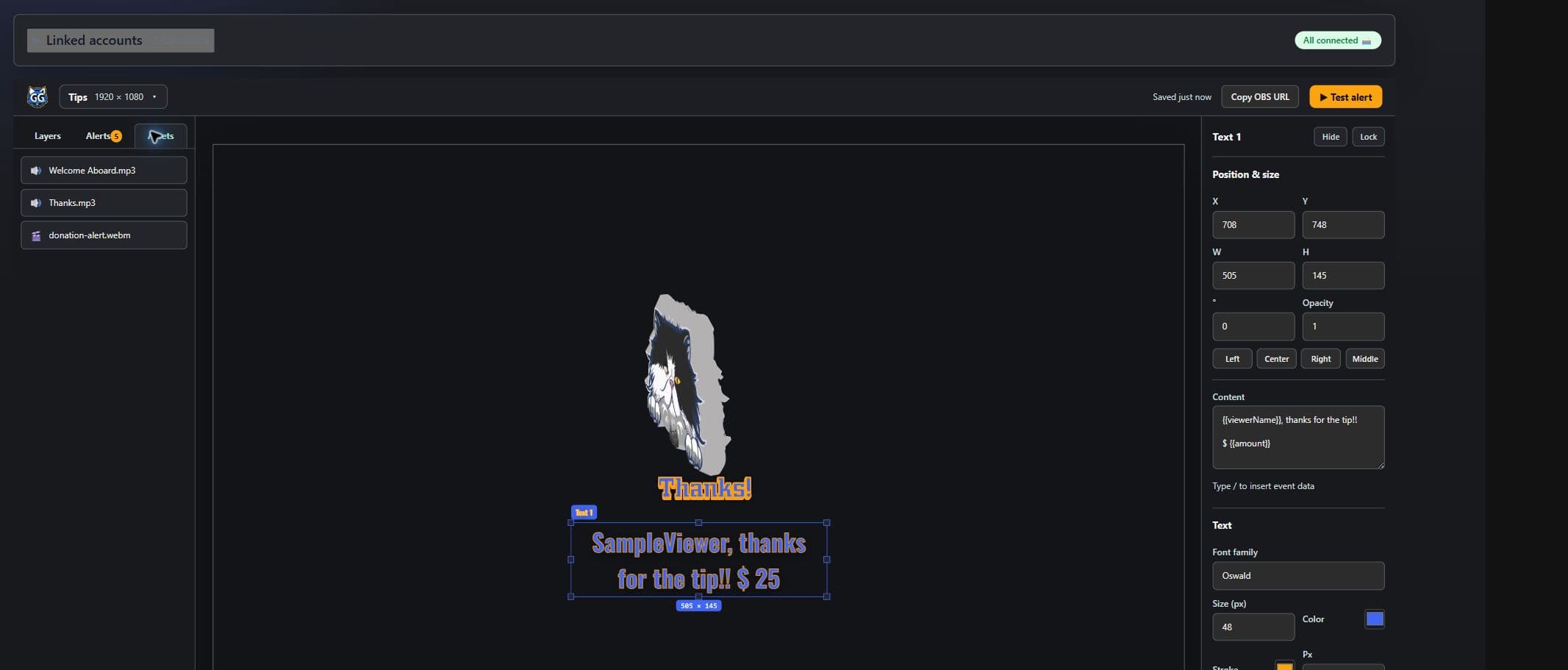
Reuse images, animated media, sound effects, and music from the workspace asset library. Bind each canvas to the events that matter, then keep the browser source stable while the design evolves.
Why self-hosted?
Because the stream is yours
Creator tools often ask you to trade control for convenience. GitchAlerts was built around a different idea: the service, credentials, assets, and alert history should live on infrastructure chosen by the people operating it.
Self-hosting makes the system inspectable and adaptable. You decide when to upgrade, where data is stored, who can manage a workspace, and how the alert pipeline fits into the rest of your production setup. The goal is practical ownership—not isolation—so Twitch, YouTube, Ko-fi, OBS, and Meld still connect through the workflows creators already use.
YouTube connection
Read-only access, explained plainly
When you choose Connect YouTube, GitchAlerts asks you to sign in with Google and grant read-only YouTube access. It uses that access to identify the YouTube channel you selected, show its channel title in your workspace, and subscribe to its public upload and live-stream feed so those events can trigger the alerts you configure.
- GitchAlerts does not upload, edit, or delete your YouTube videos or channel.
- Your connection tokens are encrypted and are not shown to other users.
- You can disconnect YouTube and end the application's use of the grant at any time.
Read the Privacy Policy for full details about Google user data access, storage, sharing, retention, and deletion. The Terms & Conditions describe the rules for using this service.